Impact Driver vs Drill: Differences and When to Use Each
Quick answer: a drill (drill/driver) spins smoothly with an adjustable clutch, which makes it the right tool for drilling holes and for driving screws where you need control. An impact driver adds thousands of rotational hammer blows per minute, giving roughly two to three times the driving torque in a smaller, lighter tool. Use it for long screws, lag bolts and repetitive fastening. Most people end up owning both, and a combo kit is usually the cheapest way to get them.
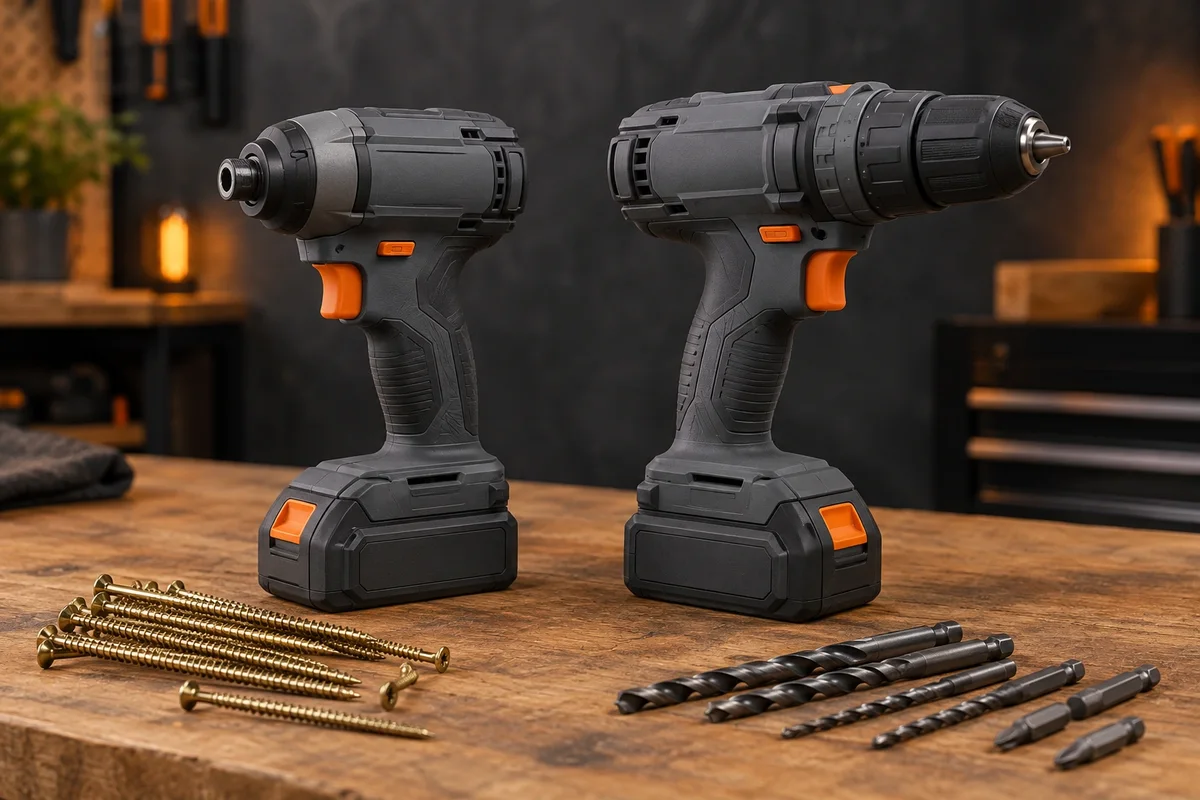
Impact drivers and drills look alike and often share batteries, so it is easy to think one can replace the other. In practice they are good at different jobs. A drill is a precision tool for holes and controlled driving; an impact driver is a fastening tool that sinks a 3 in deck screw without effort and without twisting your wrist. Knowing how each works makes the choice obvious.
Impact Driver vs Drill at a Glance
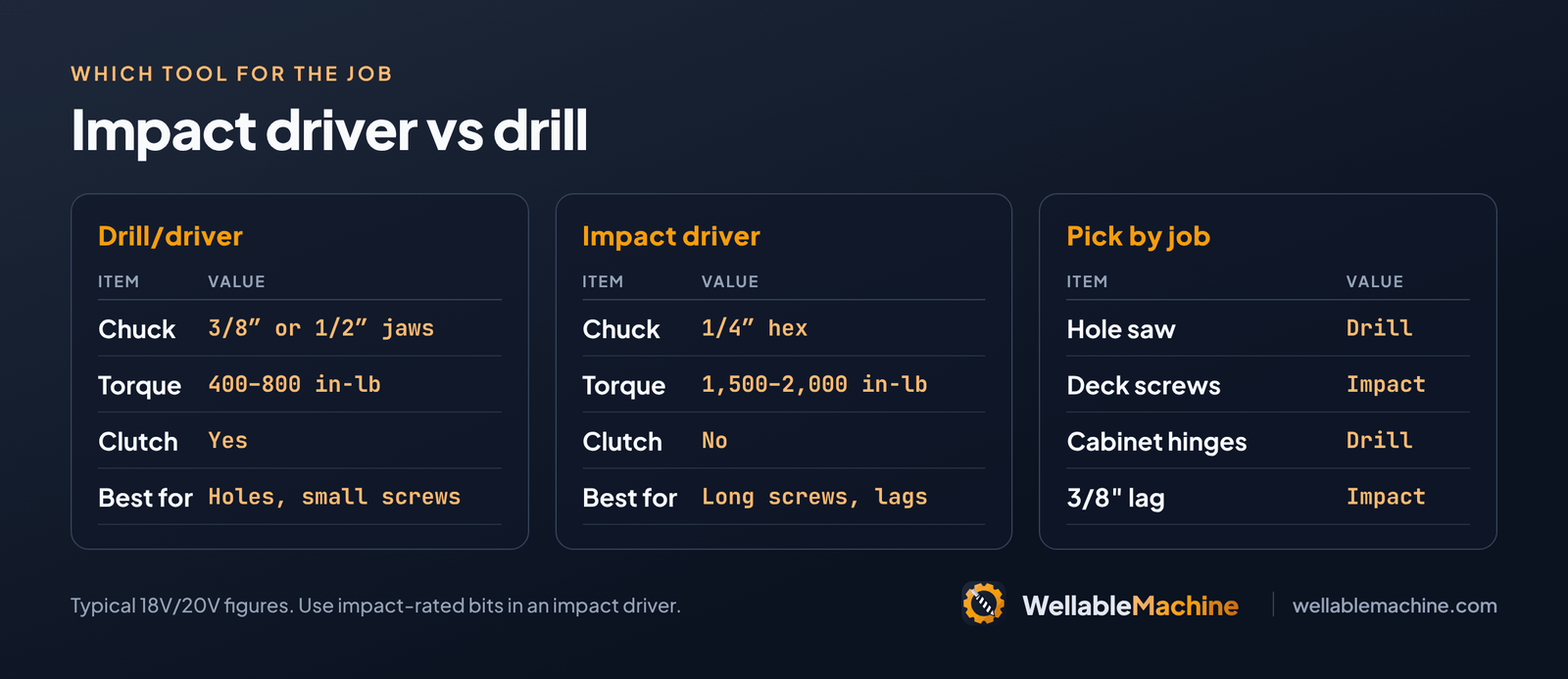
| Drill/driver | Impact driver | |
|---|---|---|
| How it turns | Smooth, continuous rotation | Rotation plus rapid rotational blows when loaded |
| Chuck | 3-jaw keyless, 3/8 or 1/2 in; holds round and hex shanks | 1/4 in hex quick-release; hex-shank bits only |
| Typical torque (18V/20V) | About 400–800 in-lb | About 1,500–2,000 in-lb or more |
| Clutch | Yes, adjustable | No; some have speed or assist modes |
| Kickback into your wrist | Yes, when a bit binds | Very little; the blows absorb the reaction |
| Size and weight | Longer and heavier | Shorter and lighter |
| Noise | Quiet | Loud when impacting; use hearing protection |
| Best for | Drilling holes, small screws, cabinetry, mixing | Long screws, lag bolts, framing, decking, nuts |
How an Impact Driver Works
Inside an impact driver, a spring-loaded hammer rides on the motor shaft. When the screw starts to resist, the hammer disengages, spins forward and strikes an anvil attached to the output, typically 3,000–4,000 times a minute. Each blow drives the screw a little further. Because the energy comes in short bursts, very little of the reaction torque reaches your hand, so you can drive a 6 in structural screw one-handed without the tool twisting.
Don’t confuse it with a hammer drill. A hammer drill hits forward, along the bit, to break up masonry. An impact driver hits around, in the direction of rotation, to turn fasteners. An impact driver is not designed for drilling concrete.
How a Drill/Driver Works
A drill/driver turns at a steady speed set by the trigger and a two-speed gearbox. Low gear gives torque for driving and large bits; high gear gives speed for small bits. The clutch ring slips at a set torque so you can drive screws to the same depth every time without stripping them or cracking soft material. A 3-jaw chuck holds round-shank twist bits, hole saws, spade bits, Forstner bits and mixing paddles, which an impact driver cannot.
When to Use an Impact Driver
- Long and large screws: deck screws, structural screws, timber screws and 3 in plus construction screws.
- Lag screws and bolts up to about 3/8 in with a socket adapter (larger ones need an impact wrench).
- Repetitive fastening: decking, subfloor, framing, drywall to metal studs.
- Working overhead or on a ladder: lighter weight and no kickback are real safety benefits.
- Self-drilling screws into steel: roofing and siding screws drive quickly; use moderate speed.
- Loosening stuck screws: the blows break rust and paint bonds that a drill would just strip.
When to Use a Drill
- Drilling precise holes in wood, metal and plastic, especially with twist bits, brad points or step bits. Our drill speed chart gives the right RPM for each size.
- Large bits: hole saws, spade bits, Forstner bits and augers need a chuck and steady torque.
- Small or delicate screws: cabinet hinges, hardware, electrical devices and anything in soft wood or MDF, where the clutch prevents overdriving.
- Finish work where a stripped head or crushed surface would show.
- Mixing paint, thinset or plaster with a paddle.
- Masonry with a hammer drill in hammer mode.
Can an Impact Driver Drill Holes?
Yes, with hex-shank bits. Hex-shank twist bits, spade bits and step bits work for quick holes in wood, sheet metal and plastic. The blows only kick in when the bit is loaded, so drilling small holes feels much like a drill. But accuracy is lower, hole saws and large bits are awkward or unsafe, and the impact action can chip brittle bits. For holes that need to be clean, round and straight, a drill is better.
Bits and Accessories
- Use impact-rated bits. They are made from tougher steel with a torsion zone that flexes instead of snapping. Ordinary driver bits shatter quickly in an impact driver.
- Bit holders: a magnetic holder makes changing bits fast; use a short bit directly in the chuck for the best control.
- Socket adapters: 1/4 in hex to 1/4, 3/8 or 1/2 in square drive let you run sockets on nuts and lag screws. Use impact-rated (black) sockets.
- Drill chucks: keep drilling bits in the drill; don’t use a hex-shank chuck adapter on an impact driver for big bits.
Brushless vs Brushed, and Voltage
For either tool, brushless motors run cooler, last longer and get more from each battery charge. Compact 12V models are ideal for cabinets, furniture and indoor work. 18V/20V tools handle decking, framing and big bits. If you are buying into a battery platform, choose one that has both tools in the voltage you need, so the batteries swap between them.
Impact Driver vs Impact Wrench
An impact wrench uses the same principle but has a square drive (3/8, 1/2 or 3/4 in) and much more torque, often hundreds of foot-pounds. It is built for lug nuts, suspension bolts and large structural bolts. An impact driver is for screws and small bolts. Using an impact wrench on wood screws snaps them; using an impact driver on lug nuts is slow and may not loosen them.
Tips for Using Each Tool Well
- Impact driver: feather the trigger at the start so the screw doesn’t walk; stop as soon as the head seats; don’t use it on small brass or stainless screws, which snap easily.
- Drill: set the clutch low and increase until screws seat to the depth you want; use the side handle for large bits; keep the drill square to the work.
- Both: wear eye protection, keep a spare charged battery and match the bit exactly to the screw head. If a screw does strip, our guide on how to remove a stripped screw shows how to get it out.
Frequently Asked Questions
6 quick answers from our editors
01Do I need both an impact driver and a drill?
For most home and job-site work, yes. The drill makes holes and the impact driver drives fasteners. A combo kit with both is often cheaper than buying them separately.
02Can an impact driver replace a drill?
For quick holes with hex-shank bits, it can. It can’t run round-shank bits, hole saws or mixing paddles, and it is less precise.
03Is an impact driver good for drywall?
It works, but it is easy to sink screws too deep. A drill with the clutch set low, or a dedicated drywall screw gun, gives more consistent depth.
04Why is my impact driver so loud?
The hammer striking the anvil makes the noise. It is normal; wear hearing protection for long sessions.
05Can I use regular bits in an impact driver?
Only hex-shank bits fit, and ordinary driver bits wear or break quickly. Use impact-rated bits.
06Which is better for lag bolts?
An impact driver with a socket adapter, up to about 3/8 in lags. Bigger lags need an impact wrench or a ratchet.
Bottom Line
Use a drill for holes, large bits, delicate screws and anything that needs a clutch. Use an impact driver for long screws, lag bolts and repetitive fastening, where its extra torque and lack of kickback save your wrist. They complement each other, and a two-tool kit on one battery platform covers most jobs you will ever meet.